Showing posts with label web resources. Show all posts

Monday, September 27, 2010

MATH ---- Free sites, resources!


In conjunction with SERC's Math Conference on Tuesday, September 28th, here are some sites to check out!


Learning Today blog, http://blog.learningtoday.com/ excellent free resources are offered by this software company. Also check out the "Teacher Resource" tab. Lots of K-5 stuff including materials for all levels of learners that will help with differentiation.

Math Snacks, http://www.mathsnacks.org/, designed by educators at New Mexico State University with NSF funds are engaging animations and games designed to help learner in grades 6-8 truly understand math concepts.

Harcourt School Publishers at http://www.hbschool.com/thinkmath/index.html is indexed by grade level for K-5, web-based math activities and concepts including numbers, data analysis, operations, algebra, geometry, time money and measurement.

Math Apprentice, http://www.mathapprentice.com/ provides opportunity for students in grades 4-8 to put math skills to work in one of eight businesses.

Jim Dornberg has created a wiki housed at http://smartmeasurement.wikispaces.com/ . Grades K-6 can view activities about length, time, money, perimeter, area, temperature, weight, volume, surface area, and angles.

Minute Math, http://www.10minutemath.com math.com is a high school teacher sharing knowledge with students and colleagues across the world. There are extra assignments for his calculus class, a set of non-linear graphs with the labels and scale hidden in a Word document for teaching exponential growth, a review Jeopardy game created with a Flash-based online game creator, explore some of the past posts for more.

And last but not least, Math and the Movies!, http://mathbits.com/MathBits/MathMovies/MathMovies.htm uses over 20 movies as teaching tools. Movie options contain information about which clip to show and provides student worksheets. Most activities are developed for grades 6-12 and movies range from a 1941 Abbott and Costello film, Proof, Castaway, Star Wars, Star Trek, to Harry Potter.

Wow – that's a lot of FUN Math!

Thursday, May 27, 2010

21st Century Learning

We have heard the term 21st century skills but what does it mean for the classroom? Technology is moving along at a rapid pace! Using technology is one method of engaging students as they learn. These titles were written to help teachers incorporate a variety of technology which can help keep students excited about learning.

21st Century Skills: Learning for Life in our Times, By Bernie Trilling and Charles Fadel (370.73 TRI)
This 206 page book and companion DVD examine the 21st century skills needed as students become citizens of a global world. Topics include skills needed in the areas of learning, innovation, digital literacy, career and life skills and global education. Digital literacy is required!


The World is Open: How Web Technology is Revolutionizing Education, By Curtis J. Bonk (331.334467 BON)
This 470 page book explores the exciting and ever-changing world of educational technology and how it has helped open the education world up to anyone with internet access. As more technologies have become available, people in even the most remote reaches of the world can access a wealth of online resources from a vast variety of educators. Communication and learning are now possible between a scientist on a ship in Antarctic waters, a child in a Philippine village and a student studying the environment in a U.S. middle school? Explore!

Teaching Vocabulary with Hypermedia, 6-12, By Susan O' Hara and Robert Pritchard (428.10712 OHA)
This 106 page book focuses on ways to engage students by teaching content area vocabulary using hypermedia and ways to teach studnets create their own hypermedia and virtual learning experiences. A hypermedia environment is one like the World Wide Web that links
video, sound, graphics and text with learning. Now that's exciting!

Wednesday, May 12, 2010

Best Evidence Encyclopedia

In your explorations of our blog you may have noticed a link in the sidebar to the Best Evidence Encyclopedia, which may have prompted you to wonder what kind of resource could be worthy of being so prominently featured to the illustrious readers of the SERC Library Blog? Well, let us assure you, dear patrons, the Best Evidence Encyclopedia is truly our cuppa' tea! This informative site rates and summarizes reviews for a variety of programs for use in K-12 education. The website is a product of the Johns Hopkins University School of Education's Center for Data-Driven Reform in Education (CDDRE), and is funded by the Institute of Education Sciences and the U.S. Department of Education. This is an excellent resource for principles, school administrators and teachers. Truly a no-nonsense source of information (unlike our blog, which contains just a teensy bit of nonsense!).

Wednesday, April 21, 2010

RSS Feeds 101

RSS feeds are one of the most useful features to come out of the internet in recent years. Once you start using them, you'll wonder how you ever managed without! RSS feeds save time and effort, and best of all, are easily customizable to filter the exact content that you want.

What is an RSS feed?
RSS stands for Really Simple Syndication, and is used to describe the technology used in creating feeds. A feed, also known as RSS feed, XML feed, syndicated content or web feed, is frequently updated content published by a website. It is usually used for news and blog websites, but can also be used for distributing other types of digital content, including pictures, audio or video.

How do I subscribe to and manage my feeds?
Subscribing to feeds is simple, just as the name implies! While there are a multitude of options for doing so, you can always depend on looking for this little icon: , which is the universal button for RSS feeds. Internet Explorer users can look to the top right of their window to see the button, which turns orange to alert you when a feed is available. In Mozilla Firefox the icon automatically appears in the address bar to the right of the website address whenever there is content to subscribe to on a page. If you are using Firefox you also have the option to download various feed reader add-ons for true customization. Of course, a lot of frequently updated pages will offer their very own to click on. Pssst...for an example of this check our sidebar on the right, where it says Connect & Subscribe. You can also use a stand-alone feed reader that isn't connected to your browser. One of the most popular and user-friendly options is Google Reader. Anyone who already has a Google/Gmail account automatically has access to Google Reader, but don't worry if you don't - creating a Google account is fast and easy and opens the door to a lot of other useful web services!

Why should I use feeds at the SERC Library?
Well, we know you love our blog, so subscribing to updates here will surely be nice, but we think you'll really love subscribing to searches in our catalog. That's right...whenever you conduct a search in Iluminar, you'll notice an RSS feed button appear at the top of the page, which will enable you to subscribe to that search. That means that if you add a feed for the topic "math", whenever we catalog new materials with that subject heading they will automatically be sent to your feed reader. You can do the same thing in our journal databases. You'll still have to come to the Library to access the content itself, but a list of new articles on your topic will be conveniently compiled for you. Now that's helpful!

Still confused? Next time you're in the Library ask for Diana, our RSS Queen, or Megan, our resident tech guru, who will be happy to assist you. Just another friendly service from the gang at the SERC Library!

Wednesday, March 17, 2010

Edutopia: The George Lucas Educational Foundation

For a comprehensive and innovative look at the world of education, check out Edutopia, a leading online resource for educators and parents. Founded by George Lucas, the Edutopia Foundation strives to connect learning with the rapid advancements in technology and society. Their website, www.edutopia.org, is infused with the idea of crafting our children into lifelong learners. Some of the many resources you'll find there include videos, blogs, archives of their bimonthly magazine, and special reports on topics such as autism, financial literacy, and green education. One of their most popular features is what they call Edutopia Groups. These are online communities one can join to network and collaborate with peers all over the globe, ranging from broad subject matter ("Middle School") to groups on specific curriculum programs and best practices. There is even a group called "Stuff my Students Say", for teachers (or anyone!) who wants a little laugh. We think Edutopia is such a great resource here at the SERC Library that we've even added a news feed of their latest headlines to the sidebar of our blog! So be sure to take a look and add them to your own bookmarks. And remember, we must endeavor to make education relevant, ground-breaking and yes, even fun, as we move into this new decade and beyond. Or in the words of George Lucas' beloved character Yoda, "Always in motion is the future".

Monday, March 1, 2010

Only YOU Can Prevent Cyber Danger!


With the rapid pace at which technology is becoming embedded into our daily routines, it is not surprising that children are being introduced to it at younger ages than ever before. Gone are the days when seeing a teenager with a cell phone was an anomaly limited to only the wealthy and status-seeking. Today we all have cell phones and computers and a whole host of other gadgets designed to keep us connected. These tools are indeed wonderful, and are undeniably helpful when it comes to education. However, it is important to teach our children about proper safety, as well as to familiarize ourselves with the various ways in which we can help them to enjoy technology appropriately.

The government recently issued a report entitled "Net Cetera: Chatting with Kids About Being Online". This 54-page document is immensely informative, with sections addressing how to talk to children and teenagers of all ages about internet safety, how to take advantage of parental controls, how to handle social networking sites, comprehensive explanations of "Net speak" for those who may not be familiar with it, and more. This report is a great way for teachers and parents to feel empowered when it comes to talking to their kids about Net safety, which is especially important considering this subject is often overlooked in schools. According to a new study released by the National Cyber Security Alliance, only 35 percent of the school districts studied require any sort of cyber safety education, despite over 90 percent of teachers and administrators being in favor of including it in the curriculum. The study also highlights the growing debate over who is ultimately responsible for discussing the subject with children, with the majority of teachers saying it should be parents and the majority of school administrators saying it should be teachers. The one thing everyone seems to agree on is that it needs to be made a priority. Even the government thinks so, as evidenced by President Obama's Cyberspace Policy Review, which proposes putting a K-12 cyber education program in place on a national level. Luckily, with the help of this report, you can take responsibility for teaching your kids about technology and security today, whether you're a parent, teacher, or friend.


Access the report here, and an article about the NCSA study here.

Wednesday, November 18, 2009

Mastermind behind Wikipedia launches education video website

Larry Sanger, who co-founded Wikipedia, has started a new online community aimed at educators and students. The website, www.watchknow.org, features an extensive library of education-related videos for children from ages 3 to 18. It also offers indispensable advice to teachers through the video format. For example, a simple search on geometry, filtered for ages 17-18+, returns such results as: "Helpful Ways to Teach Geometry", "Quadrilateral Song" and "How to Solve Geometry Proofs". Users can create accounts that allow them to add videos and edit descriptions. Because of this reliance on users to both expand and organize the collection, Sanger himself has described WatchKnow as "YouTube meets Wikipedia". Though still in in its infancy, WatchKnow already has 11,762 videos (and counting!). Considering the scope of material available on sites like YouTube and Wikipedia, it is not unlikely to think that one day WatchKnow's collection could be truly powerful in its ability to harness the power of the internet by bringing together people and ideas on a global level. So bookmark WatchKnow, spread the word to your fellow educators, direct your children there, and most importantly, contribute your own unique talent and voice. And for now, check out these videos found by browsing the poetry section....

Shel Silverstein narrating his poem "Ickle Me, Pickle Me, Tickle Me Too":


T.S. Eliot narrating his poem "The Love Song of J. Alfred Prufrock":


Langston Hughes narrating his poem "I, Too":

Tuesday, October 6, 2009

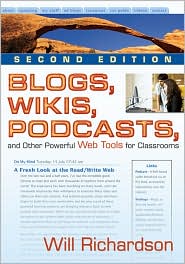
Blogs, wikis, podcasts and other powerful web tools for classrooms, 2nd edition, by Will Richardson (371.33 RIC)

Are you befuddled by blogs? Wondering about wikis? Puzzled by podcasts? Then we have the resource for you! Check out this handy new resource guide by Will Richardson: Blogs, wikis, podcasts, and other powerful web tools for classrooms, 2nd ed. (371.33 RIC). This newly revised edition is full of current information on how to incorporate today's wealth of technology resources into your curriculum. With sections on internet safety, information literacy, and thorough definitions of web tools such as RSS feeds, social bookmarking and wikis, this book is both a how-to guide and a pedagogical approach to incorporating web resources into your classroom. It also includes many real world examples by K-12 teachers that are sure to both inspire and guide you. Using this technology appropriately will not only help to streamline and improve your existing classroom methods, but it will also help you to connect with your students, many of whom will have been immersed in this technology from a very young age. Speaking of new technology, what better way to familiarize yourself with our new online card catalog than by logging in and reserving this item for yourself? See this post here for instructions on setting up your account. Remember, the internet is one of the last great frontiers. So why not be a pioneer?

Thursday, September 17, 2009

Bookshare.org


Check out this great web resource for people with disabilities:


Bookshare's mission is to provides access to books and periodicals for readers with print disabilities. Membership is free for all U.S. students with qualifying disabilities (thanks to a grant from the U.S. Department of Education), and affordably priced for non-students. Members gain access to their online library of over 45,000 resources including digital books, text books, and assistive technology tools, as well as to an online community of volunteers, parents, publishers, and authors.

Wednesday, June 3, 2009

Life.com Photo Archive


Life Magazine has recently made their extensive photo archives available to the public for free. The seven million images date back over one hundred years and document some of our nation's most important cultural milestones. Teachers and students will find this archive especially useful. Check out their online photo library at Life.com.